How Many Pages Is 5000 Words? Essay, Book & Report Counts
Five thousand words looks like a mountain when it's still just a number in your brief. Then you open a blank document and wonder what it'll actually look like: ten pages, or twenty, or something in between? It depends on spacing, font, and format, so there's no single right answer. This guide gives you the short answer first, then the charts for essays, books, and reports, so you can pick the number that fits your document.
Quick answer
5,000 words is 10 pages single-spaced or 20 pages double-spaced, using 12pt Times New Roman with 1-inch margins. At 1.5 spacing it comes to 15 pages. In a printed book, expect about 17 to 20 pages. Treat these as planning figures, then check the real count in your own document.
The 5000 words to pages chart
Every number here uses the same standard setup: 12pt Times New Roman, 1-inch margins on all sides, and US Letter paper. That's the setup most schools ask for, and it's what most word-to-page calculators assume. On those settings, a single-spaced page holds around 500 words and a double-spaced page holds around 250. The maths is one division. Take 5,000, divide it by the words on one page, and you've got 10 pages single-spaced and 20 pages double-spaced.
| Word count | Single-spaced | 1.5 spacing | Double-spaced |
|---|---|---|---|
| 500 words | 1 page | 1.5 pages | 2 pages |
| 1,000 words | 2 pages | 3 pages | 4 pages |
| 2,000 words | 4 pages | 6 pages | 8 pages |
| 3,000 words | 6 pages | 9 pages | 12 pages |
| 4,000 words | 8 pages | 12 pages | 16 pages |
| 5,000 words | 10 pages | 15 pages | 20 pages |
| 7,500 words | 15 pages | 22.5 pages | 30 pages |
| 10,000 words | 20 pages | 30 pages | 40 pages |
If your count isn't in the chart, the same rule still works. Divide by 500 for single spacing, by 333 for 1.5 spacing, and by 250 for double spacing, then round up to the next whole page. A result of 10.4 pages means you need 11 pages, since a partly full page still counts as a page. For smaller counts, see our guides to how many pages 500 words fills, how many pages 1,000 words fills, and how many pages 2,000 words fills.

How many pages is 5000 words single spaced?
5,000 words is 10 pages single-spaced, using 12pt Times New Roman with 1-inch margins. That's the figure to use when your document has no extra space between the lines. You'll see single spacing in business reports, web articles, and most documents people read on screen. It packs about 500 words onto each page, so 5,000 words fits into 10 full pages of running text.
Ten pages of single-spaced text looks dense. Each page is packed with lines and there's very little white space. That's fine for a report your manager will skim on screen, but it's tiring to read on paper for a long stretch. If your reader will print the document, double spacing is kinder to their eyes, even though it doubles the page count.
Remember that 10 pages is the count for body text only. A title page, a table of contents, and a references list all add pages without adding words. A 5,000-word report with a cover page and two pages of references is really a 13-page document. Count those extra pages when you plan printing or binding.
The font matters here too. In 12pt Arial, 5,000 words still fills about 10 pages single-spaced, since Arial and Times New Roman run close in size at 12pt. In 12pt Calibri it fills a little less, about 9 and three-quarter pages, because Calibri is a narrower font. In 12pt Courier New it fills about 17 pages, since every character in Courier New takes the same width. The full font chart is further down this page.
How many pages is 5000 words double spaced?
5,000 words is 20 pages double-spaced, using 12pt Times New Roman with 1-inch margins. Double spacing puts a full blank line between each line of text, so each page holds about 250 words instead of 500. The same words now take twice as many pages. This is the number that matters most for students, since most college and university essays ask for double spacing.
Twenty pages is a thick stack. Printed out, it feels like a real paper, not a short homework task. That's part of the point. Double spacing leaves room for a teacher to write comments between the lines, and it makes long text easier to read and mark. If your assignment says 5,000 words and double-spaced, plan for 20 pages of body text, then add the title page and the references on top.
Two common formats both land on 20 pages. MLA asks for 12pt Times New Roman, double spacing, and 1-inch margins, so a 5,000-word MLA essay is 20 pages. APA asks for the same double spacing and margins, so a 5,000-word APA paper is also about 20 pages. The small differences between the two styles, like the title page and the running head, change the total by a page at most.
One warning: some students try to stretch a short essay by widening the margins or bumping the font size. Teachers spot this at once, and many now grade on word count rather than page count for exactly that reason. If your brief gives a word count, treat the word count as the real target and the page count as a rough guide. Paste your text into the free Word Counter as you draft, so you know where you stand.
How many pages is a 5000 word essay?
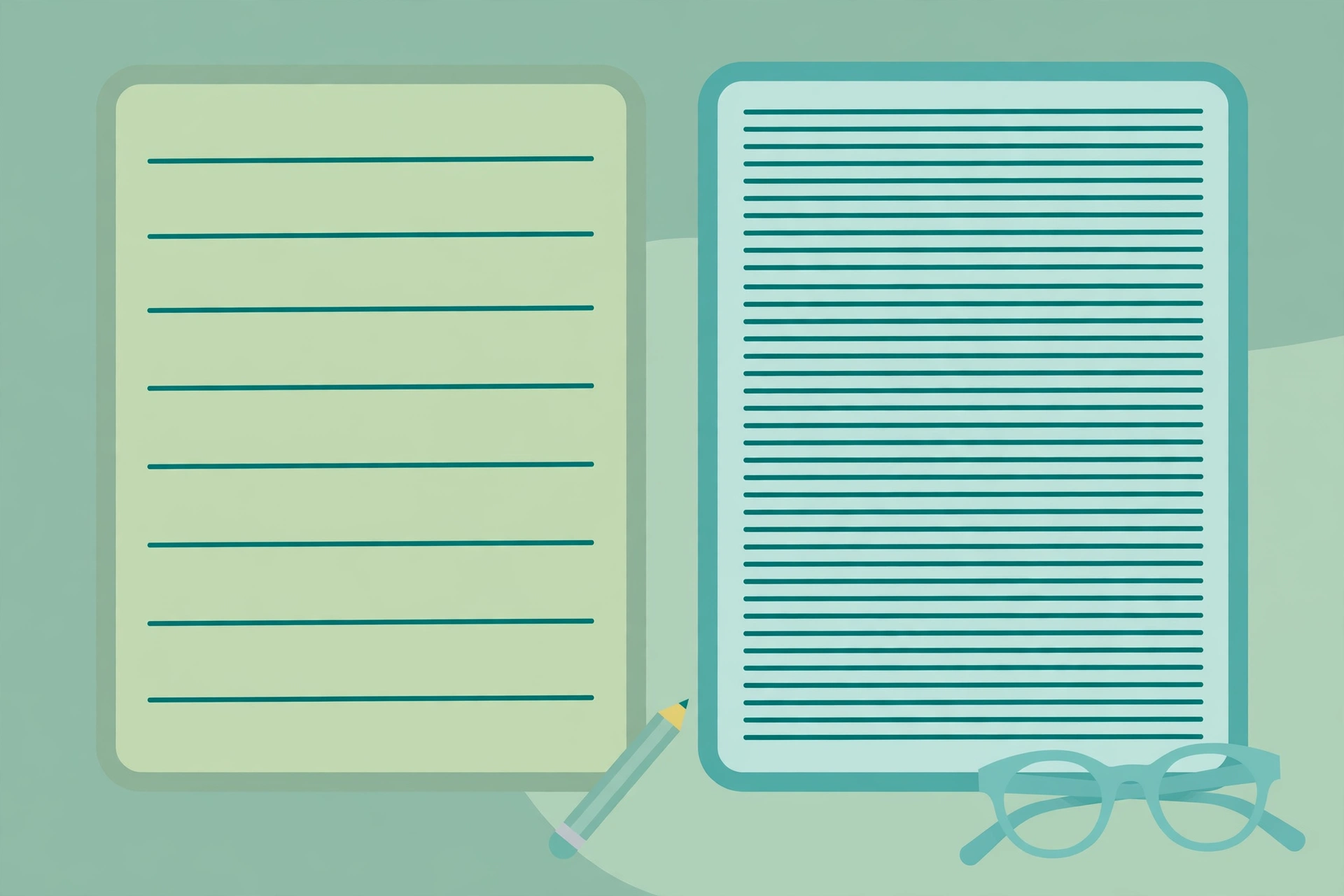
A 5,000-word essay is 20 pages double-spaced, or 10 pages single-spaced, with 12pt Times New Roman and 1-inch margins. Most essays at college level are double-spaced, so 20 pages is the number to plan around. That covers your introduction, your main points, and your conclusion. It doesn't include the title page, the contents page, or the bibliography, which sit outside the word count in most assignments.
It helps to split 5,000 words into parts before you start. A common split is about 500 words for the introduction, about 4,000 words for the main body, and about 500 words for the conclusion. The body then splits into four or five main points, each around 800 to 1,000 words. Each point gets two or three paragraphs. That plan keeps you from writing 3,000 words on your first point and then rushing the rest.
In paragraphs, 5,000 words is roughly 25 to 50 paragraphs. Most paragraphs run 100 to 200 words, so at a middle figure of 150 words per paragraph you get about 33 paragraphs. Short paragraphs with one idea each land near 50. Long, dense paragraphs land near 25. If your draft has far fewer than 25 paragraphs, your paragraphs are probably doing too much at once. Split them.
A 5,000-word essay is a serious piece of work. It's about the length of a long undergraduate assignment, a dissertation chapter, or a short academic paper. At a steady drafting pace of around 40 words a minute, the typing alone takes about two hours, and the thinking, research, and editing take much longer. Start early, and check your word count as you go rather than at the end. Our guide to counting words online free shows the fastest ways to check, and our guide to word count in Microsoft Word covers the built-in counter if you write in Word.
How many pages is 5000 words in a book?
In a printed book, 5,000 words is about 17 to 20 pages. A printed book page holds roughly 250 to 300 words, so 5,000 divided by 300 gives about 17 pages and 5,000 divided by 250 gives 20 pages. The common working average is about 275 words per printed page, which puts 5,000 words at about 18 pages. That's the count for body text only, before front matter like the title page, copyright page, and contents.
Trim size, the physical size of the book, moves the number. A small 5 by 8 inch paperback fits about 250 words per page, so 5,000 words fills 20 pages. A standard 5.5 by 8.5 inch paperback fits about 275 words per page, so 5,000 words fills about 18 pages. A larger 6 by 9 inch paperback fits about 300 words per page, so 5,000 words fills about 17 pages. A tightly set 6 by 9 inch book can fit even more, but 17 to 20 pages is the safe planning range for most books.
That means 5,000 words is a short book. It's about the length of a short story, a picture book with a lot of text, or a single chapter of a novel. Most novels run 70,000 to 90,000 words, which is 250 to 350 printed pages. A 5,000-word piece works well as a short story, a guide, a pamphlet, or a lead magnet, but on its own it makes a very thin book. If you're planning a book, count the front matter too: a title page, a copyright page, a contents page, and a chapter opening page can add 4 to 6 pages before the story even starts.
Ebooks don't have a fixed page count at all. An ebook reflows to fit the reader's device and font size, so the same 5,000 words might show as 15 pages on a phone and 25 pages on a tablet. If you publish on Kindle, Amazon reports the length in its own way and readers see a percentage, not a page number. Don't promise an ebook page count you can't control. For a print book, use the words-per-page maths above and confirm it once the book is laid out.

How many pages is 5000 words in a report?
A 5,000-word report is 10 pages single-spaced or 20 pages double-spaced, the same as an essay, but a real report almost always runs longer than the body text alone. Reports have a cover page, an executive summary, a table of contents, headings, tables, charts, and appendices. Each of those adds pages without adding many words. A 5,000-word report with a cover, a one-page summary, and two pages of tables often lands at 14 to 16 pages in print.
Business reports are usually single-spaced, so plan for 10 pages of body text as your base. Academic and lab reports are often double-spaced, so plan for 20 pages of body text. Then add the extras. A good habit is to list the extra pages before you start: cover (1 page), executive summary (1 page), contents (1 page), tables and charts (1 to 3 pages), references (1 to 2 pages), and appendices (as needed). That list stops the report from growing past the limit your manager or teacher set.
Tables and charts deserve special care. A table with 10 rows can take half a page while adding only 50 words to your count. A chart can take a full page while adding almost no words at all. If your report has a page limit rather than a word limit, every visual costs you space. If it has a word limit, visuals are free space, so use them to make your point clearly. Check which limit applies before you start, because the two limits push you in opposite directions.
If the report must be a PDF, keep the page count in mind when you build it. A report that runs long can be trimmed with the Split PDF tool, and a report that's too big to email can be shrunk with the Compress PDF tool. Our guide to counting words in a PDF shows how to check the word count of a finished PDF report without opening the original document.
How font and font size change the count
Font choice moves the page count more than most people expect. All the figures in this table use 12pt type with 1-inch margins on US Letter paper. Times New Roman, Arial, and Calibri all land close together, but Courier New is very different, because it is a monospaced font where every character takes the same width.
| Font (12pt) | Single-spaced | 1.5 spacing | Double-spaced |
|---|---|---|---|
| Times New Roman | 10 pages | 15 pages | 20 pages |
| Arial | 10 pages | 15 pages | 20 pages |
| Calibri | 9.75 pages | 15 pages | 20 pages |
| Courier New | 17 pages | 26 pages | 34 pages |
Font size moves the count even more. A smaller font fits more words on each page, and a larger font fits fewer. At 10pt, 5,000 words fills about 8 and a third pages single-spaced, or about 17 pages double-spaced. At 12pt it fills 10 pages single-spaced, or 20 pages double-spaced. At 14pt it fills roughly 13 to 14 pages single-spaced, or about 25 pages double-spaced. Going from 12pt to 14pt adds about a quarter more pages, so a teacher who sets the font size has already set your page count.
Word processors have their own defaults, and those defaults change the count. Microsoft Word used Calibri 11pt as its default for many years, and Calibri 11pt fits about 558 words on a single-spaced page, which is more than Times New Roman 12pt. Google Docs defaults to Arial 11pt, which also fits more words per page than 12pt Times New Roman. If you write in one program and your teacher opens the file in another, the page count can shift by a page or two. That's one more reason to trust the word count, not the page count.
The safe rule is simple. Use the font and size your brief asks for, and don't change them to hit a page target. If no font is set, use 12pt Times New Roman for academic work and 11pt or 12pt Calibri or Arial for business work. Those are the fonts readers expect, and they keep your page count close to the standard charts on this page. Formatting tricks are easy for a marker to spot, and they do not change the word count.
Margins, paper size, and other things that change the count
Spacing and font get most of the attention, but four smaller things also move the page count. None of them changes the number by as much as spacing does, but together they can add or remove two or three pages from a 5,000-word document.
Margins. Standard margins are 1 inch on all sides. Narrow margins of 0.75 inches fit more words on each line, so 5,000 words fills about 17 or 18 pages double-spaced instead of 20. Wide margins of 1.5 inches fit fewer words, so the same text fills noticeably more pages double-spaced. Most briefs set the margins, so check yours before you start.
Paper size. US Letter and A4 are close in size, so the page count barely changes between them. A4 is slightly taller and narrower than US Letter, and the difference is usually less than half a page across a 5,000-word document. It only matters if your brief sets a strict page limit and you're right on the edge.
Headings and paragraph breaks. Every heading, subheading, and blank line between paragraphs takes space without adding words. A document with many short sections and lots of headings fills more pages than a wall of plain text. Dialogue does the same thing in fiction: each new speaker starts a new line, so a story with lots of talking fills more pages than a story with long descriptive passages.
Images, tables, and lists. A bullet list takes more room than the same words written as a paragraph, because each bullet starts on a new line. An image takes a whole block of the page. A block quote with extra space above and below it takes more room than the same words in the main text. If your document has many of these, expect the page count to run a page or two above the charts.
How to work out the page count for your own document
The charts on this page are estimates for planning. Your own document is the real answer, and it takes less than a minute to check. Follow these steps and you'll know your exact page count instead of guessing.
Step 1: Count your words. Paste your text into the free Word Counter and read the word count. If your text is in a PDF, our guide to counting words in a PDF shows how to pull the text out first. If you write in Word or Google Docs, use the built-in counter instead. Our guides to word count in Microsoft Word and Google Docs word count cover both.
Step 2: Pick your words per page. Use 500 words per page for single spacing, 333 for 1.5 spacing, and 250 for double spacing. These figures assume 12pt type and 1-inch margins. If your font is Courier New, use about 300 words per page single-spaced instead, because Courier New fits far fewer words on a line.
Step 3: Divide and round up. Divide your word count by the words per page. For 5,000 words double-spaced, that is 5,000 divided by 250, which is 20 pages. For a count that doesn't divide evenly, round up to the next whole page. A result of 12.3 pages means 13 pages, because the last partly full page still counts.
Step 4: Add the extra pages. Count your title page, contents page, references, tables, and appendices, and add them to the total. These pages sit outside the word count, so the maths in step 3 never includes them. A 5,000-word essay with a title page and two pages of references is 23 pages in total, not 20.
Step 5: Check in your word processor. Apply the real formatting to your document, then look at the page count in the status bar. That number is the truth for your file. If it's far from the chart, look for the cause: a different font, wider margins, or many headings. Fix the formatting, not the words.
How long does it take to read and write 5000 words?
Reading 5,000 words takes about 21 minutes for an average adult reading silently. That figure uses 238 words per minute, the average silent reading speed for non-fiction found in a 2019 review of reading research. A slower reader at 200 words per minute takes 25 minutes, and a fast reader at 250 words per minute takes 20 minutes. Dense technical writing takes longer, and a light blog post takes less time, so treat 21 minutes as a planning figure, not a promise.
Speaking 5,000 words aloud takes about 38 minutes at a normal speaking pace of 130 words per minute. That matters if your 5,000 words are a speech or a video script. A five-minute speech is only about 650 words at that pace, so 5,000 words is far too long for a short talk. Our guide to how many words a 5-minute speech needs covers short talks in more detail.
Writing 5,000 words takes much longer than reading it. At a steady drafting pace of around 40 words a minute, the typing alone takes about 2 hours and 5 minutes. Real writing is slower than that, because you stop to think, check facts, and fix sentences. A student writing a 5,000-word essay should plan for several days of work, not one evening. Research, planning, and editing take more time than the typing itself. For example, suppose a student drafts all 5,000 words in one sitting: the last 1,000 words are written when energy is lowest, so they usually need the most revision.
These time figures help you plan, and they also show why word count is a better target than page count. A page count changes when you change the font, but the reading time and the writing time stay the same, because the words stay the same. If your teacher or manager sets a page target, convert it to words first, then work to the word count.
Common mistakes and fixes
Trusting the page count instead of the word count. The page count changes with font, size, margins, and spacing, so it's a weak target. Fix it by working to the word count your brief gives you, and by checking the count in the Word Counter as you draft. If your brief gives only a page count, convert it with the charts on this page, then confirm the word target with your teacher or manager.
Forgetting the extra pages. A title page, a contents page, and a references list add pages without adding words. Fix it by listing the extra pages before you start, and by adding them to the chart total. A 20-page essay plus three extra pages is a 23-page document, and your printer and your binder need to know that.
Stretching the text to hit a page target. Widening the margins, bumping the font size, or adding blank lines fools nobody, and it can cost marks. Fix it by writing to the word count instead. If you're short of words, add a real point with evidence, not empty space. If you're over, cut the weakest paragraph, not the font size.
Using the wrong spacing. Some students write single-spaced and then double the spacing at the end, which doubles the page count overnight. Fix it by setting the spacing before you start writing, so the page count grows in front of you and you can see where you stand. In Word, set the spacing in the Paragraph settings. In Google Docs, set it in the Line spacing menu.
Comparing a Word page with a book page. A double-spaced Word page holds about 250 words, while a printed book page holds about 250 to 300 words, so the two counts look close but the layouts are nothing alike. Fix it by using the right chart: the Word charts for essays and reports, and the book chart for print. Mixing them up is the most common reason people get the wrong answer.

Frequently asked questions
How many pages is 5000 words double spaced?
With 12pt Times New Roman and 1-inch margins, 5,000 words runs to 20 pages double-spaced. A double-spaced page holds about 250 words, and 5,000 divided by 250 is 20. That's the format most college essays use in MLA and APA. The title page and references go on top of those 20 pages.
How many pages is 5000 words single spaced?
With the same standard setup, 5,000 words runs to 10 pages single-spaced. A single-spaced page holds about 500 words, and 5,000 divided by 500 is 10. Business reports and web articles usually use single spacing, and a title page and references add pages beyond the 10.
How many pages is a 5000 word essay?
Plan on 20 pages double-spaced or 10 pages single-spaced, with standard formatting. Most college essays are double-spaced, so 20 pages of body text is the figure to work with. That covers the introduction, the main points, and the conclusion, while the title page, contents page, and bibliography sit outside the word count and add pages.
How many pages is 5000 words in a book?
Expect about 17 to 20 pages in a printed book. A printed book page holds roughly 250 to 300 words, depending on trim size and type size. A small 5 by 8 inch paperback fits about 250 words per page, so 5,000 words fills 20 pages, while a larger 6 by 9 inch paperback fills about 17.
How many paragraphs is 5000 words?
Roughly 25 to 50 paragraphs. Most paragraphs run 100 to 200 words, so at a middle figure of 150 words per paragraph you get about 33 paragraphs. Short paragraphs with one idea each land near 50, and long dense paragraphs land near 25. If your draft has far fewer paragraphs, split the long ones.
How long does it take to read 5000 words?
About 21 minutes for an average adult reading silently at 238 words per minute. A slower reader at 200 words per minute takes 25 minutes, and a fast reader at 250 words per minute takes 20 minutes. Dense technical writing takes longer, while a light blog post takes less time.
How many pages is 5000 words in APA format?
About 20 pages. APA asks for 12pt Times New Roman, double spacing, and 1-inch margins, so each page holds about 250 words. The title page, abstract, and references sit outside the body text and add pages. Always check your own document, because headings and tables shift the count.
Try the free tool
The short version: 5,000 words is 10 pages single-spaced or 20 pages double-spaced, with standard formatting. In a printed book it's about 17 to 20 pages. Use the word count as your real target, because the page count moves with your font, size, margins, and spacing. Check your own document before you submit, and add the title page and references to the total.
When you're ready, paste your text into the free Word Counter and check your count in seconds. It also shows characters, sentences, and reading time, so you can plan your essay or report without guessing. If you need to check a finished file, read our guide to counting words in a PDF. If you want the same charts for other counts, read our guides to 500 words, 1,000 words, and 2,000 words. And if you want to know the difference between the two counts, read word count vs character count.
How we tested this: we checked the page maths against the words-to-pages charts published by WordCountTool, WordCharacterCounter, and ReadTimer, and the book figures against the printed-page averages published by Write Book. The font figures come from the WordCountTool font table, and the reading speed of 238 words per minute comes from a 2019 review of reading research. The Word Counter steps follow the tool on this site. Menu labels vary between versions, so follow the labels in your own word processor.
Privacy note: the Word Counter, Character Counter, Case Converter, and Remove Duplicate Lines tools on this site need no account and no signup. Your text is processed in your browser and never uploaded, never stored, and never shared with third parties. When you close the tab, the working text disappears with the session.
Last updated: November 10, 2026
Related tools and guides
How Many Pages Is 2000 Words?
The same charts for 2,000 words: single, 1.5, and double spacing.
Read article →